
NEWS
Flexo Printing Machine Setup Mistakes That Affect Print Quality
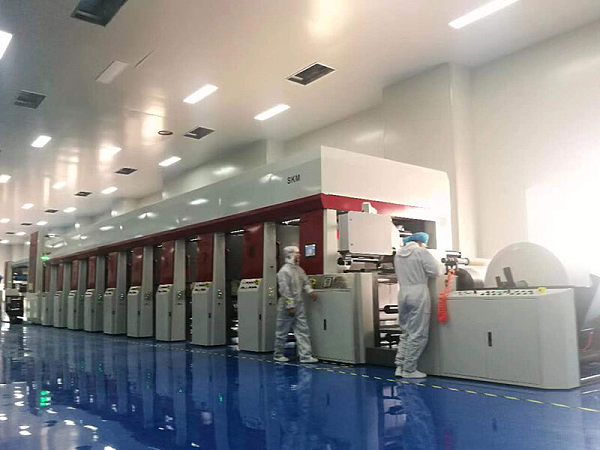
Even a high-performance Flexo printing machine can deliver poor results if the setup is wrong. From incorrect tension and plate mounting to ink viscosity and impression settings, small mistakes can quickly reduce print clarity, color consistency, and production efficiency. In this article, we’ll highlight the most common setup errors operators face and how to prevent them for better print quality and smoother daily operation.
Why a Setup Checklist Matters for Flexo Print Quality
A Flexo printing machine works as a linked system. One small error often triggers several visible defects across the web.
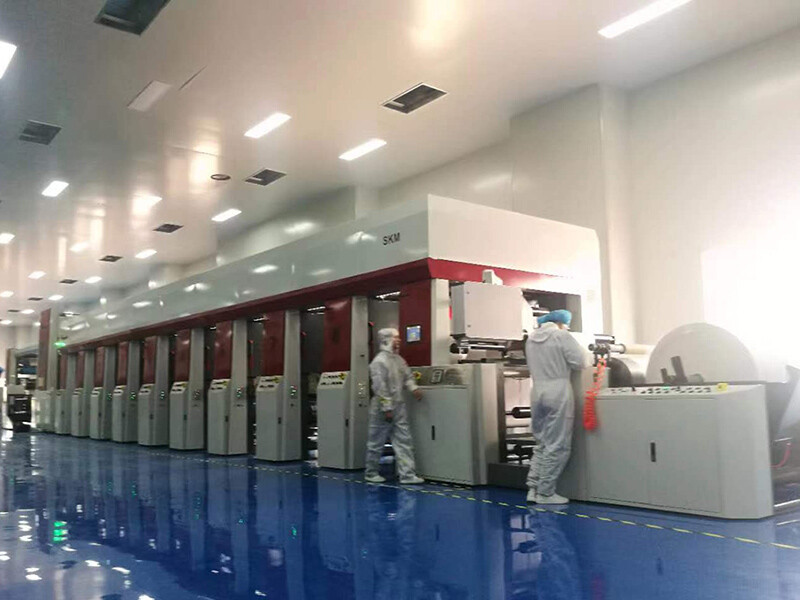
A checklist reduces guesswork during job changeovers. It also improves repeatability, waste control, and color stability in packaging printing.
When setup steps are checked in order, operators can isolate problems faster. That means fewer rejected rolls, shorter downtime, and cleaner customer results.
Core Flexo Printing Machine Setup Checklist
Use this practical checklist before production starts. Each point targets a setup mistake that directly affects print quality.
Check web tension from unwind to rewind. Uneven tension causes register shift, distorted images, stretching, and unstable print repeat during longer runs.
Verify plate mounting accuracy. Misaligned plates create halo, bouncing edges, poor register, and inconsistent image transfer across the printed width.
Confirm plate cleanliness before mounting. Dust, tape defects, or trapped air can produce pinholes, weak solids, and repeating visual marks.
Set impression pressure gradually. Excessive impression crushes dots and wears plates, while low impression leaves faded text and incomplete coverage.
Measure ink viscosity at the press, not only in preparation. Temperature changes during operation can shift flow, density, and drying behavior.
Inspect anilox condition and specification. Wrong cell volume or plugged cells limit ink transfer and weaken color strength and consistency.
Align doctor blade pressure carefully. Too much pressure accelerates wear, while too little pressure allows streaks and unstable ink metering.
Match substrate settings to material type. Film, paper, and laminated stock respond differently to tension, drying, impression, and ink adhesion.
Test drying performance before full speed. Inadequate drying causes blocking, set-off, smearing, and poor downstream converting performance.
Review register control at startup speed and production speed. Some Flexo printing machine issues appear only after acceleration.
Calibrate color targets using approved references. Visual judgment alone often leads to shade drift between shifts and repeat jobs.
Record final parameters after approval. Saved setup data shortens future make-ready time and helps maintain stable packaging print quality.
The Most Common Setup Mistakes and Their Effects
1. Running with unstable web tension
Tension problems are among the most common Flexo printing machine faults. They affect register, repeat length, and substrate tracking.
On thin films, too much tension stretches the web. On paper, low or fluctuating tension can create wrinkles and wandering edges.
2. Mounting plates with poor alignment
Plate mounting errors are easy to overlook during rushed changeovers. Yet they immediately show as color-to-color misregister and jagged image edges.
Use proper mounting devices, check repeat position, and confirm tape thickness. Small mounting variation can become a major print defect.
3. Using the wrong impression setting
Operators sometimes increase impression to hide weak transfer. This usually creates a new problem instead of solving the original cause.
Too much pressure enlarges dots, fills fine reverses, and shortens plate life. Correct impression should be minimal but complete.
4. Ignoring ink viscosity drift
Ink that starts correctly can change quickly under heat, circulation, and solvent evaporation. That leads to unstable density and poor print sharpness.
Regular checks during the run are essential. A stable Flexo printing machine process depends on stable ink behavior, not only initial adjustment.
5. Overlooking anilox and blade condition
Even perfect settings cannot compensate for a damaged anilox or worn blade. Dirty cells reduce transfer and create uneven solids.
Blade edge wear can show as lines, streaks, or fluctuating density. These symptoms are often misdiagnosed as ink issues.
Setup Priorities in Different Packaging Printing Scenarios
Flexible packaging films
Film jobs need tight control of tension and drying. Materials stretch easily, and static can attract dust before printing starts.
For these jobs, monitor register after every speed increase. Ink adhesion and solvent balance should also be verified before extended production.
Paper bags and kraft substrates
Paper absorbs ink differently from film. Surface variation can make solids appear uneven if viscosity and impression are not balanced.
In paper bag printing, dust control and substrate flatness matter more than many expect. A stable feed path improves print consistency.
Corrugated and liner applications
These applications often involve rougher surfaces. Excessive impression is a common mistake when operators try to force stronger coverage.
Instead, adjust the plate, anilox, and ink system together. This protects image detail while maintaining acceptable solid areas.
For operations evaluating rebuilt or pre-owned equipment, consistent setup discipline matters even more. A well-maintained machine such as Used Fast1650 can still deliver reliable output when process settings are controlled correctly.
Often Ignored Risk Points
Skipping roller cleaning between jobs leaves contamination that affects ink transfer and creates repeating defects on the next run.
Assuming old setup data still applies can cause trouble when substrate batches, plate suppliers, or shop temperature have changed.
Starting at full speed too early hides the source of defects and makes troubleshooting harder after waste has already increased.
Neglecting drying verification before rewinding can lead to blocking, odor retention, and converting problems after printing is complete.
Ignoring minor register movement at startup often allows a small mechanical or tension issue to grow into a production stop.
Practical Execution Tips for Daily Operation
Standardize startup order. Check substrate path, plates, anilox, blades, ink, drying, and register in the same sequence every time.
Use measurable values whenever possible. Tension numbers, viscosity readings, impression references, and approved color targets reduce subjective decisions.
Separate symptom from cause. If the Flexo printing machine shows weak color, inspect anilox volume, viscosity, and blade condition before raising pressure.
Keep a defect log with photos and corrections. Over time, this becomes a practical guide for repeat jobs and faster troubleshooting.
Review machine condition regularly. In operations handling flexographic presses, die-cutting units, and paper bag printing equipment, preventive maintenance supports setup stability.
Conclusion and Next Action
Most print defects do not begin with the artwork. They begin with avoidable setup mistakes on the Flexo printing machine.
By checking tension, plate mounting, impression, ink viscosity, anilox condition, and drying in a fixed order, print quality becomes more predictable.
Start by turning the checklist in this article into a shift-level routine. Record the final approved settings and compare defect trends over time.
That simple discipline can improve clarity, color consistency, and overall packaging printing efficiency, whether the line is new or based on proven equipment like Used Fast1650.
Contact Us Today to Get a Quote
WhatsApp:+8613863655370
Tel:+8613863655370
E-mail:Chris@bochuanpack.com